
Artificial intelligence has changed how people create digital content, but finding the right tools can still be frustrating. One platform may generate impressive images, another may specialize in video production, and a third may offer advanced editing features. Managing separate subscriptions and creative workflows can quickly become complicated. This is where krea.ai enters the picture.
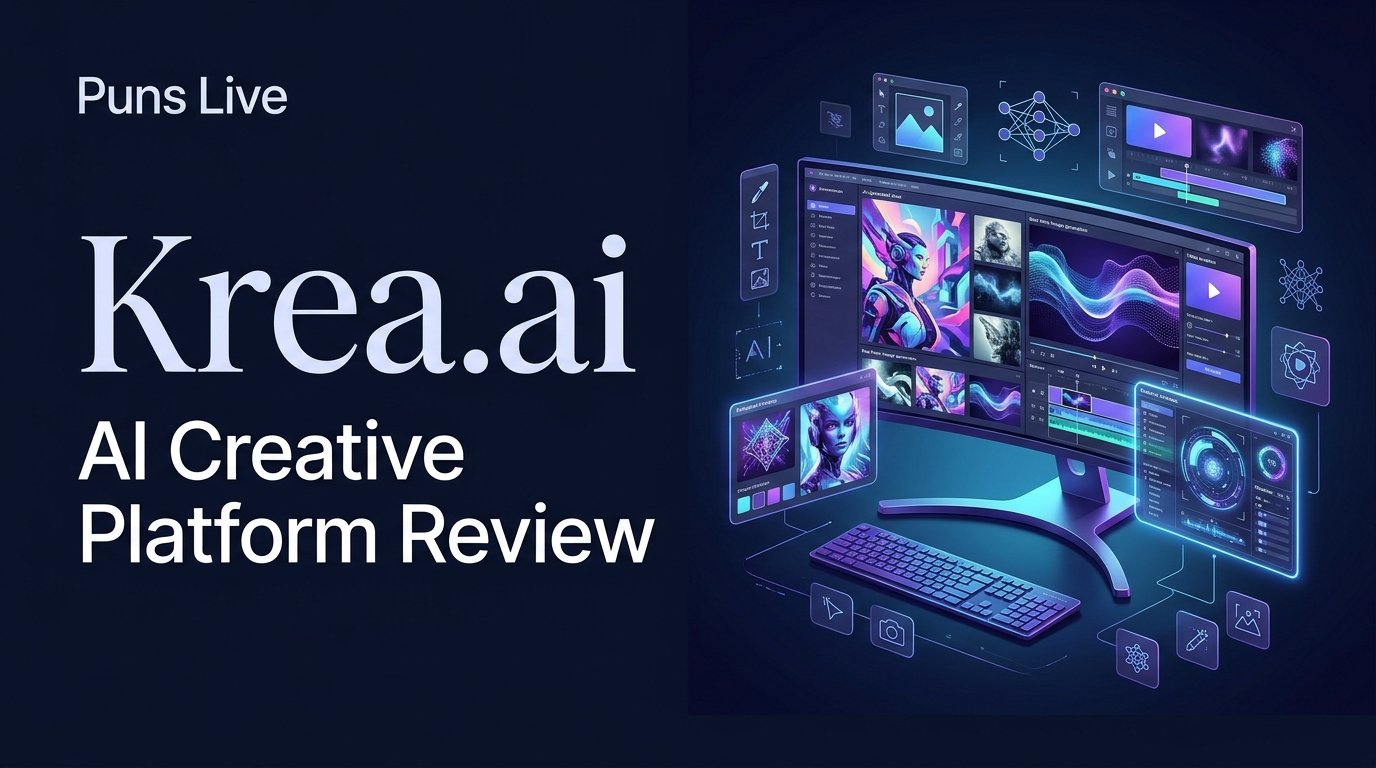
Krea is an AI-powered creative platform that brings image generation, video creation, editing, enhancement, 3D tools, and customizable workflows into one environment. It also provides access to multiple AI models, giving creators more flexibility when working on different projects.
However, having numerous tools under one roof does not automatically make a platform worth paying for. Pricing, generation limits, output quality, ease of use, commercial permissions, and practical limitations all deserve attention.
This review examines what Krea offers, how its creative ecosystem works, where it stands out, and what users should understand before choosing a subscription. The goal is simple: help you decide whether Krea can genuinely improve your creative process or whether a more specialized alternative would make better sense.
The Bigger Idea Behind Krea.ai: One Creative Space, Multiple AI Possibilities
Krea is designed around a straightforward idea: creators should not need a completely different application for every stage of visual production.
Rather than focusing exclusively on text-to-image generation, the platform combines several creative functions. Users can develop visual concepts, generate images, animate artwork, improve resolution, edit existing material, and experiment with different models.
Its ecosystem includes tools for:
- AI image generation and editing.
- Text-to-video and image-to-video creation.
- Real-time visual generation.
- Image and video enhancement.
- Personalized LoRA training.
- 3D asset creation.
- Audio and lip-sync workflows.
- Node-based creative automation.
- Reusable applications through its App Builder.
One particularly interesting addition is Krea Agent. Instead of manually managing every generation step, users can describe what they want and allow the agent to plan, generate, and iterate across supported models.
This approach makes Krea more than a conventional AI image generator. It is attempting to become a connected creative workspace where multiple production tasks can happen without constantly switching platforms.
From a Simple Prompt to a Complete Visual Workflow
The real appeal of Krea becomes easier to understand when its features are considered as parts of a creative process rather than isolated tools.
Turning Text and Reference Images Into New Visuals
Image generation is one of the platform’s central capabilities. Users can describe a scene, character, product, environment, or artistic concept and use available models to generate visual results.
Krea also supports image references and editing workflows, which can help when a text description alone is not enough to communicate the desired appearance.
For example, an online store owner might want a product image with a different background, lighting arrangement, or visual style. Instead of designing every element manually, the user can combine a reference image with instructions to guide the transformation.
Available models include options from different developers, such as Flux, Google’s Nano Banana family, and other image-generation systems. Their capabilities and availability can change over time, so users should check the live model selector before choosing a workflow.
Making Still Images Move With AI Video Tools
Static visuals are useful, but video has become an important part of advertising, social media, storytelling, and digital marketing.
Krea brings video generation into the same creative environment. Depending on the selected model, users can work with text prompts, reference images, and other supported inputs to produce moving visuals.
Its model selection includes technologies such as Kling, Veo, and Seedance.
Different models serve different production needs. Some emphasize cinematic motion, while others may offer different approaches to reference handling, generation speed, or audio.
This flexibility is useful, but it also means that video production should not be judged by the platform’s overall name alone. The selected model, prompt, source material, and available generation settings all influence the result.
Fixing Details Instead of Starting From Scratch
A generated image is not always ready for publication.
A product may need sharper details, a character may require a visual adjustment, or an image may need a different composition. Recreating the entire asset every time can waste both time and generation credits.
Krea offers editing and enhancement tools to address these situations.
Its image editor supports prompt-based modifications, while its upscaling tools can improve image resolution. The platform also advertises video enhancement and other visual transformation options.
For creators producing marketing graphics, website illustrations, or digital artwork, these tools can reduce the number of separate applications involved in finishing a project.
Exploring Real-Time Creation and Visual Control
One of Krea’s distinctive creative approaches is real-time generation.
Instead of writing a prompt, submitting it, and waiting for a completed image every time, users can explore visual directions while interacting with the creative workspace.
This can make experimentation more immediate.
Imagine developing a background for a website banner. You might change the composition, adjust a visual reference, or explore different artistic directions. Real-time feedback can help narrow down an idea before moving toward a final result.
It is particularly relevant to designers and artists who prefer an interactive creative process rather than relying entirely on repeated text prompts.
Building Personal Styles and 3D Concepts
Krea also extends beyond ordinary image and video generation.
Its LoRA training capabilities allow users to personalize models using reference images. This can be useful for developing more consistent visual styles, characters, or recurring objects.
Its 3D tools provide another creative direction for users interested in building assets from text or visual references.
These features are not equally important to every user. A casual social media creator may never need LoRA training, while a designer working on a consistent visual identity could find it valuable.
The important distinction is that Krea offers several levels of creative control rather than limiting users to a single generation method.
Read Other Software Review: PopPop AI
The Real Difference Is Not Just the Number of AI Models
A platform can advertise dozens of AI models and still provide a confusing experience. The real question is whether users can select the right technology for a particular task without unnecessary complexity.
Why Access to Multiple Models Matters
Different AI models have different strengths.
One may handle text inside images more effectively, another may be suitable for photorealistic scenes, and a third may offer better control over video movement.
Krea’s model ecosystem allows users to explore these differences within one account.
For example, a designer might use an image model for product concepts, an editing model for refinements, and a video model to animate the finished artwork.
This flexibility can reduce the need to maintain multiple separate creative subscriptions.
However, model access does not mean every model is included in every subscription. Some plans restrict access to selected video models, while higher tiers provide broader availability.
Krea’s Own Technology vs Third-Party Models
An important distinction is that Krea does not rely exclusively on technology developed by other companies.
Its own Krea model family includes image-generation and editing capabilities. Krea 3 is listed among its current creative tools, alongside a wider collection of third-party models.
This combination gives the platform two different roles.
First, it provides its own creative technology. Second, it acts as a workspace through which users can access other AI systems.
That distinction matters when evaluating the service. Krea is not simply another interface for a single image-generation model.
Where Having Everything in One Workspace Helps
Consider a small marketing team preparing a product campaign.
The team may need:
- A collection of product images.
- Different backgrounds and visual variations.
- Promotional video content.
- Higher-resolution assets.
- Consistent creative styles.
Using separate tools for each task can create unnecessary switching and file-management work.
Krea attempts to connect these stages through its creative workspace, nodes, and reusable applications.
That does not eliminate the need for specialized software in every situation, but it can make certain creative workflows more convenient.
What Happens Between Your First Prompt and the Final Result?
A platform’s feature list only explains what is available. Understanding how someone actually moves through the creative process provides a clearer picture of its usability.
Getting Started Without a Complicated Setup
New users can create an account and begin exploring Krea through its free plan.
The platform provides access to different creative tools, including image, video, and real-time workflows. A free account does not require a credit card according to the official pricing page.
This is a useful starting point for people who want to understand the interface before making a financial commitment.
Understanding the Creative Workspace
Krea provides access to its tools through a shared interface.
Users can explore different models, open creative applications, manage generated assets, and work with specialized editing or enhancement functions.
Its Nodes editor offers a more structured approach. Rather than treating every generation as an independent action, users can connect models, prompts, and processing steps into a visual workflow.
This is particularly relevant for creators who repeat similar production tasks.
Refining Results Through Repeated Generations
AI generation rarely produces a perfect result on the first attempt.
A prompt may need adjustment, a reference image may need changing, or the user may need to experiment with another model.
Krea’s workflow encourages this process of iteration.
The benefit is flexibility, but there is an important consideration: repeated generations can consume compute units. Users should understand the cost of their preferred models before relying on them for large projects.
Where Human Editing Still Makes a Difference
AI can accelerate production, but it does not automatically understand every brand requirement, design decision, or publishing standard.
A generated advertisement may contain unsuitable text. A product image may need accurate branding. A video may have inconsistent movement or details.
Human review remains essential.
For commercial projects, the final output should be checked for accuracy, consistency, visual quality, and rights-related concerns before publication.
This is where experienced creative judgment continues to matter, even when AI handles much of the initial production.
The Credit System Changes How You Should Think About Krea’s Pricing
Krea uses a compute-unit system. Instead of treating every generation as having the same cost, the platform allocates units according to the tools and models being used.
This means a user’s monthly subscription value depends heavily on their actual creative habits.
What the Free Plan Actually Allows
The free plan currently includes:
- 100 compute units per day.
- Access to Krea’s image and video model ecosystem, subject to free-tier limitations.
- Real-time creative models.
- Limited image upscaling.
- Access to Krea Nodes and App Builder.
- No credit card requirement.
It provides a practical way to explore the platform without immediately paying for a subscription.
However, users who regularly create high-resolution images or longer videos may find the free allocation restrictive.
What Changes When You Move to a Paid Plan
The official pricing page currently displays the following plans:
| Plan | Monthly billing | Annual effective monthly price | Compute units |
|---|---|---|---|
| Free | $0 | $0 | 100/day |
| Basic | $9 | $5 | 5,000/month |
| Pro | $35 | $21 | 20,000/month |
| Max | $105 | $63 | 60,000/month |
| Business | $200 | $160 | 80,000/month |
Prices shown are the listed prices at the time of writing. Annual prices are effective monthly rates billed under an annual subscription. Confirm the checkout total and current terms before purchasing.
The plans are not simply different versions of the same service.
Basic provides a larger compute allowance and selected video models. Pro adds access to all listed video models and additional production capabilities. Max increases the available units and LoRA training capacity. Business introduces team-oriented and organizational features.
For occasional users, Basic may be sufficient. Creators who regularly produce video or work with multiple models may benefit from examining Pro or Max instead.
How Compute Units Affect Different Creative Tasks
The number of generations a subscription supports depends on the model and task.
Krea’s pricing page provides estimated examples, including:
- Basic: approximately 112 Nano Banana 2 generations.
- Pro: approximately 450 Nano Banana 2 generations.
- Max: approximately 1,350 Nano Banana 2 generations.
Video generation can consume substantially different amounts of compute units depending on the selected model and settings.
These figures are platform estimates, not guaranteed output counts for every user’s workflow.
A creator producing hundreds of simple image variations will have different needs from someone generating high-quality video clips.
Monthly vs Annual Billing: Which Makes More Sense?
Annual billing can reduce the effective monthly price, but it requires a longer commitment.
A sensible approach is to start with the free plan, understand which tools are useful, and estimate your typical monthly consumption.
If you are uncertain whether Krea fits your workflow, paying for an entire year immediately may not be the smartest decision.
Monthly billing offers more flexibility while you evaluate the service.
The Costs You Should Understand Before Subscribing
The advertised subscription price is only one part of the financial decision.
Before upgrading, check:
- How many units your preferred model consumes.
- Whether your plan includes that particular model.
- What happens when your monthly units run out.
- Whether additional compute packs are available.
- Whether unused units roll over.
- What happens when your subscription renews.
- Which commercial-use permissions apply to your plan.
Krea advertises additional compute purchases and different usage benefits across its paid tiers. These details are important because two users paying for the same plan may have very different experiences depending on how they use the platform.
The Experience Beyond the Marketing Promises
A useful review should examine more than the features a company advertises. It should also consider the practical limitations that can affect everyday users.
Where Krea Makes Creative Work Easier
Krea’s strongest proposition is its connected workflow.
Having image creation, editing, enhancement, video generation, and other tools available through one platform can simplify production.
Other notable advantages include:
- Access to multiple AI model families.
- Real-time creative experimentation.
- Prompt-based image editing.
- High-resolution upscaling options.
- Personalized model training.
- Visual workflow automation.
- An entry-level free plan.
For creators who regularly move between different visual tasks, this combination can be particularly appealing.
Where Results May Require More Time and Adjustments
More features do not always mean less work.
AI-generated images may require multiple revisions. Video outputs may not match the intended movement. Some models may handle detailed instructions differently from others.
Users also need to learn which model is suitable for each task.
For someone who only wants to create an occasional social media image, Krea’s wider ecosystem may feel unnecessarily extensive.
Its real value becomes clearer when several of its capabilities are relevant to the same project.
Subscription, Support and Credit-Related Concerns
Krea’s published terms explain that paid services involve billing conditions, subscription renewals, and other account responsibilities.
Customer feedback also deserves consideration. Public reviews include complaints about billing, cancellation experiences, support communication, and credit usage.
These reports should not be treated as proof that every user will encounter the same problems. Nevertheless, they highlight areas worth checking before purchasing.
Users should read the current cancellation and renewal conditions, monitor compute consumption, and keep records of subscription transactions.
Why Results Can Differ Between Users
Two people can use the same platform and reach very different conclusions.
A professional designer may appreciate the flexibility of multiple models, whereas a beginner may find the available choices overwhelming.
Similarly, someone creating images occasionally may find the free plan adequate, while a video creator may consume units much faster.
The selected model, prompt quality, source images, generation settings, and editing experience all influence the final outcome.
This is why a platform-wide claim that Krea always produces excellent results would be misleading.
Who Will Get the Most Value From Krea.ai?
Krea is not necessarily designed for one specific type of creator. Its usefulness depends on the work someone needs to accomplish.
Designers and Digital Artists
Designers may appreciate its combination of image generation, editing, real-time experimentation, and personalized styles.
It can help with concept development, visual exploration, and creative variations.
However, professionals who require exact brand consistency or detailed manual control may still need traditional design software alongside AI tools.
Video Creators and Social Media Teams
Creators producing promotional videos, animated visuals, and short-form content may find the video model selection valuable.
Having image-to-video workflows and multiple video models available in the same environment can reduce the need to manage several separate services.
The main consideration is compute consumption and the quality requirements of the final production.
Marketing and E-commerce Businesses
Marketing teams can explore product visuals, promotional concepts, social media assets, and advertising variations.
Krea’s editing and image enhancement capabilities may also help with creative preparation.
However, businesses should pay particular attention to product accuracy, trademarks, commercial licensing, and the privacy of uploaded materials.
Beginners Exploring AI Creativity
The free plan gives beginners an opportunity to explore different tools without paying immediately.
However, the platform offers many capabilities, and learning which model or workflow to choose may take time.
A beginner interested in only one simple task might find a dedicated tool easier to understand.
Users Who May Be Better Off With a Simpler Tool
Krea may not be the ideal choice for everyone.
It may be excessive for someone who:
- Only needs occasional basic image generation.
- Prefers a single-purpose editing application.
- Does not want to monitor compute-unit consumption.
- Needs a highly specialized professional production workflow.
- Wants predictable output without repeated experimentation.
Choosing a smaller tool that solves one specific problem can sometimes be more practical than subscribing to a larger creative ecosystem.
When Another AI Tool May Be a Smarter Choice
Krea operates in a competitive market. Several established platforms offer specialized creative capabilities, and comparing their intended use cases helps put its value into perspective.
Krea.ai vs Midjourney
Midjourney is worth considering when the main priority is AI image creation and artistic exploration. Krea offers a broader mix of creative tools, whereas Midjourney has a more image-focused identity.
Krea.ai vs Leonardo AI
Leonardo is another option for users interested in image generation, editing, and creative asset production. The choice depends on preferred models, workflow requirements, and subscription limits.
Krea.ai vs Adobe Firefly
Firefly makes sense for people already working within Adobe’s creative ecosystem. Its integration with Adobe applications may be more important than having numerous models in one independent workspace.
Krea.ai vs Runway
Runway deserves attention from creators whose primary focus is AI video production. Krea offers a wider creative ecosystem, while Runway is an alternative worth evaluating for video-centered workflows.
There is no universal winner in this comparison. The best platform depends on whether someone prioritizes image generation, video production, editing flexibility, professional integration, or an all-in-one creative workspace.
The Questions Worth Answering Before You Trust Krea.ai
Is Krea.ai a Legitimate AI Platform?
Yes. Krea operates as an AI creative platform under KREA.AI, INC. Its website provides published terms of use, subscription options, and information about its services. These are positive legitimacy indicators, although users should still review the terms before making payments.
Is Krea.ai Safe for Personal and Business Projects?
Krea publishes privacy and usage policies, but safety depends partly on what users upload and how they use the generated content.
Avoid uploading confidential client files, sensitive personal information, or copyrighted material without the necessary permissions. Business customers should review the specific business terms and privacy commitments before using the platform for sensitive projects.
Can You Use Krea.ai Images for Commercial Purposes?
Commercial permissions depend on the subscription and applicable terms. Krea’s current paid-plan comparison advertises a commercial license, while its Business terms provide specific commercial rights for Business subscribers. Users should not assume that every free or paid account has identical permissions.
Does Krea.ai Require Design or Technical Experience?
No advanced technical background is required to begin using basic image and video generation features. However, more advanced workflows, LoRA training, and node-based automation may require experimentation and a better understanding of creative processes.
Final Verdict: Is Krea.ai a Creative Upgrade or Just Another AI Subscription?
Krea has a compelling proposition because it brings several important creative capabilities into one platform. Image generation, video creation, editing, enhancement, real-time workflows, and model selection give it a wider scope than a basic AI image generator.
Its biggest advantage is flexibility. Users who regularly work across different visual formats may appreciate having multiple tools and models available in one creative environment.
However, its extensive feature set also creates a learning curve. Compute-unit consumption, subscription restrictions, and model-specific differences deserve careful attention. Someone who only needs occasional image generation may not benefit enough to justify a paid plan.
My verdict: Krea.ai is worth exploring for designers, digital artists, video creators, and marketing teams who need more than basic AI image generation. The free tier provides a sensible starting point, while a paid subscription makes more sense after identifying the tools you will actually use.
Ultimately, Krea’s value is not determined by how many AI models it offers. It comes down to whether those tools solve real creative problems, save production time, and deliver results that justify their cost.
Frequently Asked Questions About Krea.ai
What is Krea.ai mainly used for?
Krea.ai is used for AI-powered image generation, video creation, image editing, visual enhancement, 3D creation, and creative workflow automation. It brings multiple AI models and tools into one platform.
Does Krea.ai use models such as Flux, Nano Banana, and Kling?
Yes. Krea provides access to several third-party AI models, including Flux, Google’s Nano Banana models, and Kling. Availability depends on the model, feature, and subscription plan.
How does Krea.ai compare with Midjourney and Leonardo AI?
Krea focuses on a broader creative ecosystem covering images, videos, editing, and automation. Midjourney is more image-generation focused, while Leonardo AI also offers image creation and editing capabilities.
Is Krea.ai free to use without a credit card?
Yes. Krea offers a free plan with 100 compute units per day and states that no credit card is required to get started. Some advanced features and usage limits depend on the subscription.
Does Krea.ai offer an API for developers?
Yes. Krea provides an API platform where developers can explore endpoints, check model pricing, create API tokens, and integrate supported AI capabilities into their applications.
Can Krea.ai generate 3D models and AI videos?
Yes. Krea offers 3D creation tools and AI video generation through supported models. The available options and usage allowances depend on the selected feature and subscription.
Does Krea.ai have an iOS app?
Yes. Krea provides an iOS application for iPhone and iPad. Users can generate images and videos, access supported models, and synchronize their creative work with the web platform.
Who owns Krea.ai?
Krea’s published Terms of Use identify KREA.AI, INC. as the company operating its services. The terms also explain important conditions regarding accounts, user submissions, billing, and content usage.